Geometry Dash Beginner Guide – Everything New in 2026
Start Geometry Dash the right way in 2026. Learn game modes, Platformer vs Classic, best beginner settings, and what to do in your first week.
Geometry Dash looks like a simple jumping game for about thirty seconds. Then your cube hits the first spike wall, you restart instantly, and ten attempts later you are wondering what you are doing wrong.
You are not doing anything wrong. You just do not know the rules yet. Geometry Dash is not about reaction speed alone. It is about rhythm, pattern memory, and understanding how each game mode behaves.
This guide will show you exactly how to start in 2026, including the new Platformer mode, updated mechanics, and what you should actually do in your first few hours so the game stops feeling random and starts feeling learnable.
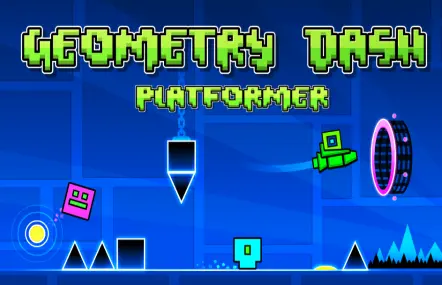
The 9 Game Modes Explained (and Why They Feel Difficult)
- Cube: Tap to jump. → Looks simple, but timing windows get tight fast. Most early deaths happen here.
- Ship: Hold to fly up, release to fall. → Requires smooth control. Overcorrecting kills you.
- Ball: Tap to switch gravity. → Easy to understand, but punishes panic taps.
- UFO: Tap to jump mid-air. → Feels inconsistent until you learn rhythm spacing.
- Wave: Hold to go up, release to go down. → Most players try to control it like Ship. That works, but Wave punishes any overcorrection instantly. The real skill is micro-tapping, not holding.
- Robot: Hold longer to jump higher. → You must control jump strength, not just timing.
- Spider: Tap to teleport instantly. → No jump arc. If you hesitate, you are already dead.
- Swing (2.2): Tap to switch gravity mid-air. → Feels like Ship but behaves closer to Wave timing.
- Platformer physics: Movement is manual. → This completely changes how levels are played.
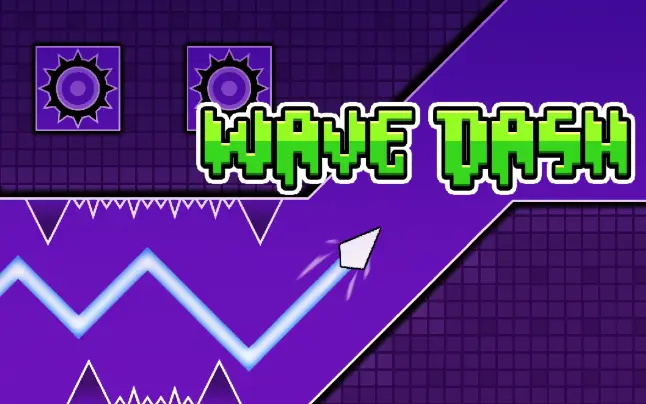
Classic vs Platformer Mode: What Actually Changed
Classic Mode (Original Game)
Classic mode is auto-scrolling. Your icon moves forward automatically, and your only job is timing. If you die, you restart from the beginning unless you are in Practice Mode.
Platformer Mode (2.2 Update)
Platformer mode completely changes the game. You control movement freely, levels include checkpoints, and the pacing becomes more like a traditional platform game instead of a rhythm runner.
Instead of Stars, you earn Moons. This creates a separate progression system, which means new players can improve without being forced into perfect no-death runs.
What You Should Do in Your First Week
Day 1–2
- Play Stereo Madness → Dry Out (first 4 levels)
- Keep music on and follow rhythm instead of visuals
- Do not rush — focus on consistent timing
Day 3–4
- Start using Practice Mode
- Use checkpoints to learn sections, not to skip difficulty
- After each death, ask why you died
Day 5–7
- Push toward Base After Base and Jumper
- Try Platformer levels like The Tower
- Start recognizing patterns instead of reacting blindly
Best Settings for Beginners (Actually Important Ones)
If the game feels laggy
Turn on Low Detail Mode. This removes visual clutter and improves performance immediately.
Audio matters more than you think
Geometry Dash is rhythm-based. Playing without sound makes levels feel random because you lose timing cues.
Practice Music Sync
Unlock full music in Practice Mode using diamonds so you can learn real timing instead of guessing.
Input choice (mouse vs keyboard vs mobile)
- Mouse: most consistent for PC players
- Keyboard: faster but easier to overtap
- Mobile: hardest, but still viable with practice
Beginner Mistakes That Slow You Down
- Trying to react instead of learning patterns — the game is memorization first, reaction second.
- Using Practice Mode with too many checkpoints — you learn button presses, not the full section.
- Going for Demon levels before you can beat Jumper consistently — Clubstep has Ship sections that will destroy you if you never learned Ship properly.
- Playing without sound — you lose rhythm, and everything feels random.
- Treating every game mode the same — Wave, Ship, and Spider all require different control logic.
Which Levels Should You Play First
- Start: Stereo Madness → Back on Track → Polargeist
- Progress: Dry Out → Base After Base → Jumper
- Avoid early: Clubstep, Deadlocked, Theory of Everything 2
Final Advice: How You Actually Improve
Geometry Dash is not about grinding attempts. It is about reducing randomness. The moment you start recognizing patterns, syncing with music, and understanding each mode, the game becomes much easier.
If you feel stuck, it usually means you are repeating mistakes instead of learning from them.