Geometry Dash Practice Mode Guide (Updated for 2.208) | Get Music Sync & Hitboxes
Learn how to use Practice Mode in Geometry Dash 2.208 the smart way. This guide covers Practice Music Sync, official hitboxes, platformer checkpoints, and how to practice Demon…
If you still use Practice Mode in Geometry Dash like a panic room, you are leaving a lot of progress on the table.You know the level. You've passed every section in practice.Then you switch to Normal Mode and die at 87% for the forty-third time. That is not a skill problem. That is a Practice Mode problem. In the 2.2 era, and especially in the current 2.208 version, Practice Mode is no longer just a way to survive a level long enough to see the ending. It is the fastest way to build consistency, isolate chokepoints, learn transitions, and stop wasting real attempts on parts you do not actually understand yet.
A lot of old advice about Geometry Dash practice is still floating around, but much of it comes from a different version culture. Players used to lean harder on awkward workarounds, third-party tools, or pure repetition with almost no structure. That is not the strongest method anymore. The modern game gives you better native tools, better visual feedback, and a better reason to practice with intention instead of just grinding until your brain melts.
What Practice Mode is actually for
Practice Mode is not there to help you eventually crawl to 100%. It is there to make a level feel smaller. The moment a hard level stops feeling like one giant wall and starts feeling like five or six manageable sections, your progress becomes real instead of emotional.
That is the biggest mistake newer players make. They use Practice Mode as if the goal is simply to place enough checkpoints to reach the ending. But one lucky pass through a hard section teaches you almost nothing. What actually matters is whether you can repeat that section cleanly enough that it starts to feel boring.
- Use Practice Mode to identify the real chokepoints, not just the parts that annoyed you
- Use it to repeat short sections until they become stable
- Use it to connect two difficult sections together
- Use it to learn the back half of a level before your nerves make it feel impossible
Why this guide is different in 2.208
Geometry Dash 2.2 changed the context around practice. The update added major systems such as Platformer Mode, Swing, Moons, and the expanded music systems. Follow-up updates then kept tightening the quality-of-life side of the game. By 2.201, Platformer Practice Mode and hitbox viewing in Practice were already part of the official toolkit. By 2.208, the game also added more precise input options like Click Between and Click On Steps, which matters for players who care about cleaner timing feedback.
The practical result is simple: you should now trust the base game more. You do not need to build your entire training routine around old myths, old refresh-rate discourse, or old dependency on third-party tools. Official Practice Mode is now good enough to do serious work with if you use it correctly.
Get Practice Music Sync first
If there is one upgrade that instantly makes Practice Mode feel less miserable, it is Practice Music Sync. This is the first pain-point feature most players should care about because it closes the gap between practice and real attempts. Without synced music, a level can feel mechanically familiar but rhythmically wrong. That creates fake confidence. You know the clicks, but the song no longer supports your timing the way it does in Normal Mode.
With Practice Music Sync enabled, your runs feel much closer to the real thing. That matters most in levels where transitions, fake-outs, and muscle memory are strongly tied to audio pacing. It will not magically beat the level for you, but it will reduce one of the dumbest forms of practice friction.
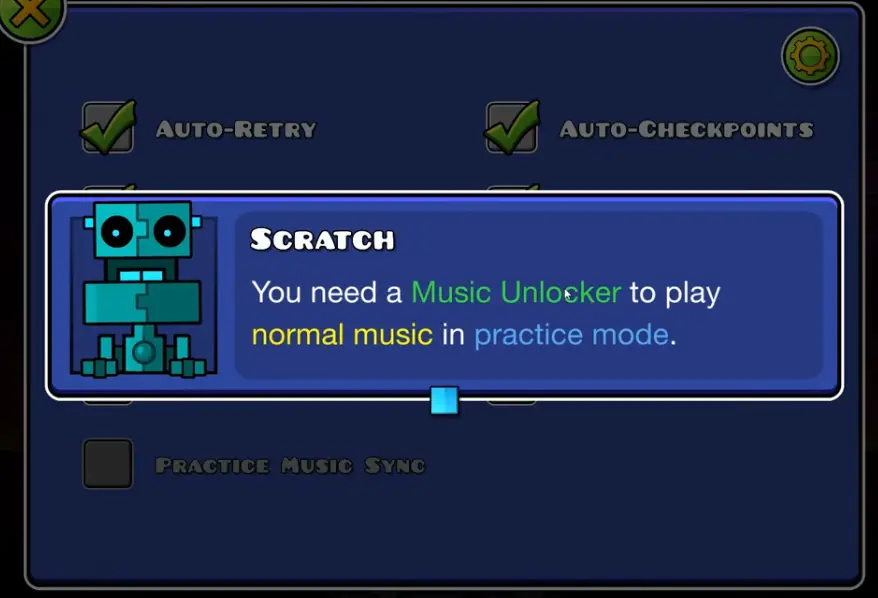
For content support on unlocking and using this feature, it makes sense to embed a full tutorial video and also a short vertical video for mobile users. This is one of those topics where players often want to see the menu path and the result immediately instead of reading four paragraphs about it.
Official hitboxes are now strong enough for real practice
One of the biggest outdated assumptions in Geometry Dash is that serious practice still requires third-party tools just to understand what killed you. That used to be a much stronger argument. It is weaker now. If your goal is simply to learn a section efficiently, official hitboxes in Practice Mode already do a lot of the job.
The key is to use hitboxes as a diagnostic tool, not as a permanent crutch. Turn them on when a ship corridor, wave gap, or awkward transition keeps killing you and you do not fully understand why. Once you confirm the actual collision space and fix the visual lie your brain was believing, turn them back off and re-learn the section using normal visuals. Otherwise you risk training the wrong screen language for real attempts.
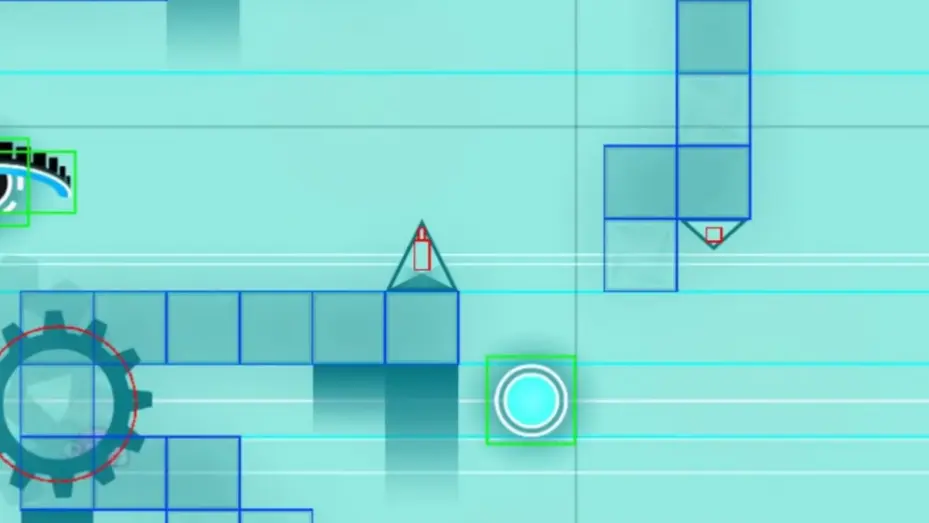
This matters even more in 2.2-era levels because creators now do more with visuals, effects, camera movement, and object density. A clean hitbox pass can instantly tell you whether a section is genuinely tight or just visually noisy. That is a huge difference.
- Use hitboxes to confirm why you died
- Use them to understand tight wave and ship lanes
- Use them when learning memory-heavy or effect-heavy custom levels
- Do not stay in hitbox view forever or your real-attempt reading will get worse
How to place checkpoints correctly
Bad checkpoint placement is the silent killer of Practice Mode. A lot of players drop checkpoints almost randomly, especially after every death spike. That feels productive because it creates constant forward motion, but it usually destroys consistency. You end up learning isolated actions without learning how they connect.
A better rule is to place checkpoints by gameplay segment, not by frustration. If a section takes around three to eight seconds and represents one clear mechanic or transition, that is usually a good checkpoint zone. For an especially brutal chokepoint, you can temporarily shorten it. But once you start passing it, stretch the checkpoint farther back so you relearn the lead-in as well.
The reason this matters is simple. Most hard deaths do not happen because a single click is impossible. They happen because the approach speed, icon position, gravity state, or mental rhythm entering the section was slightly wrong. A good checkpoint teaches the section. A bad checkpoint teaches only the final panic input.
The best way to practice any hard level
There is a clean five-step loop that works for almost any hard Geometry Dash level, whether it is an official Demon, a custom insane level, or a harder platformer section.
Step 1: Find the real chokepoints
Do not just mark the parts you hate. Mark the parts that actually stop runs. Those are not always the same thing. Sometimes the ugliest section is not the true wall. The real wall is the transition right before it.
Step 2: Split the level into usable segments
Think in chunks. Opening stability. First hard transition. Mid-level control section. Back-half pressure section. Ending. Once the level is divided like that, Practice Mode stops feeling chaotic.
Step 3: Repeat until the section feels boring
That is the standard. If a section still feels dramatic every time you enter it, you probably do not own it yet. A learned section feels almost dull. That is good. Dull means stable.
Step 4: Link two sections together
Being able to pass section A and section B separately does not mean you can pass A into B. Linking sections is where fake progress gets exposed. You need to train the bridge, not just the islands.
Step 5: Return to Normal Mode earlier than you think
Practice Mode is for learning. Normal Mode is for execution under pressure. Once the hardest parts stop being mysterious, go back to real attempts. Too many players overstay in Practice Mode and then wonder why the level still falls apart when nerves show up.
How to practice different gamemodes
Not every gamemode should be practiced the same way. One reason Practice Mode feels weak to some players is that they apply one method to everything.
- Wave: focus on the center of the path, not the icon itself
- Ship: avoid panic holding and build a cleaner micro-click rhythm
- Ball: learn the snap timing instead of reacting late
- Spider: remember that it teleports instantly, so treat it less like Ball and more like a hard commit
- Robot and Cube: use ground shapes and spike spacing as visual references
- Duals: train rhythm and sync first, then speed
Wave and Ship are especially important because they are the sections where players most often blame hardware, nerves, or bad luck. In reality, a lot of those deaths come from poor visual focus and ugly input rhythm. Practice Mode helps most when it makes those bad habits visible.
Platformer Mode practice is different now
Platformer Mode changed what Practice Mode means in Geometry Dash. In classic mode, practice usually means route repetition and transition control. In platformer, it also overlaps with movement planning, save-state logic, recovery, and local obstacle mastery.
That is why platformer players often hit a very specific beginner pain point: they do not know how to simulate proper practice flow, where the useful reset point is, or how platformer checkpoints are supposed to feel compared with classic mode.
If your site is going after 2.2-era beginner traffic, this is a very strong subsection to support with video. Newer players often search this because they assume platformer practice should work exactly like classic practice, and then get confused the moment it does not.
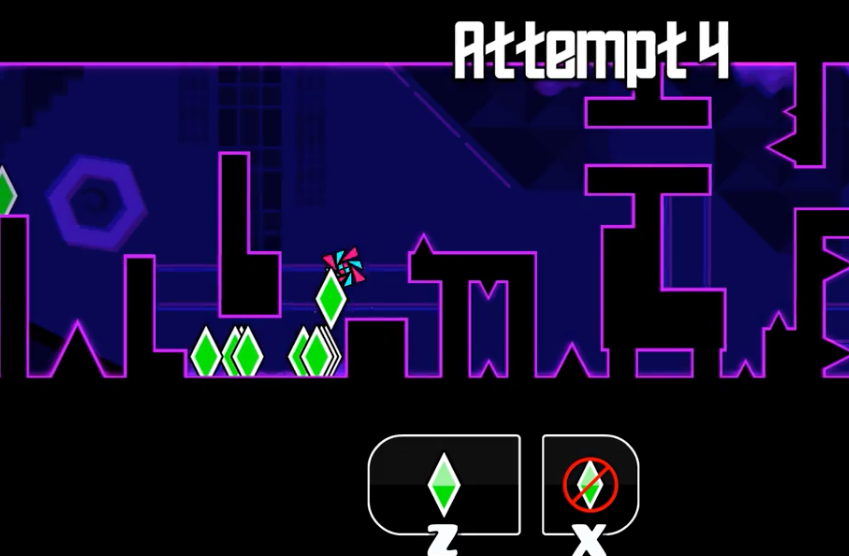
Common Practice Mode mistakes that slow you down
Most players do not fail because they practice too little. They fail because they practice in a way that creates noise instead of consistency.
- Using too many checkpoints and never learning the approach to a hard part
- Practicing only from 0% and leaving the ending undertrained
- Keeping hitboxes on so long that real-attempt visuals start feeling unfamiliar
- Staying in Practice Mode after the hard part is already understood
- Treating one lucky pass as proof that the section is learned
- Grinding while tilted and turning every attempt into a worse version of the last one
- Copying old click patterns from videos instead of building your own visual understanding
That last point matters more than many players want to admit. Watching good runs is useful. Worshipping them is not. The point of Practice Mode is to make the level readable to you, not to turn you into a broken replay of somebody else.
A simple 20-minute practice routine that actually works
You do not need a two-hour training block every time you open Geometry Dash. In fact, shorter and cleaner practice often works better.
- Identify one real chokepoint — not the part you hate most, but the part that actually ends runs.
- Drill it short until it stops feeling dangerous and your muscle memory takes over.
- Push the checkpoint back: learn the approach and momentum, not just the reaction.
- Practice the back half of the level cold. Stop falling apart at 80% because you only practiced the drop.
- Switch to Normal Mode before you feel ready. That discomfort is where progress happens.
This routine works because it forces your practice to move from diagnosis to repetition to connection to pressure. That is the full cycle. Anything else is usually just flailing with better marketing.
When to leave Practice Mode and go for real attempts
A good rule is this: once the hardest part of the level feels understandable and repeatable, stop hiding in Practice Mode. You do not need perfection before switching back. You need familiarity.
You are probably ready for real attempts if the hardest section no longer surprises you, the ending is no longer completely cold, and your deaths are starting to spread across the level instead of clustering around one impossible wall. At that point, what you need is not more information. You need more full-run composure.
FAQ
How do you get normal music in Practice Mode in Geometry Dash?
You need to unlock and enable Practice Music Sync. Once active, Practice Mode uses the real level music timing instead of the old disconnected practice feel, which makes rhythm-based learning much cleaner.
Should I use hitboxes in Geometry Dash Practice Mode?
Yes, but only when you need to diagnose a hard section. Hitboxes are best used to confirm collision space, understand a confusing death, or learn a very tight corridor. They are not ideal as a permanent visual mode.
Is Practice Mode good for Demon levels?
Yes. It is one of the best tools for Demon progression because it lets you isolate chokepoints, practice the ending, and connect hard sections before burning too many real attempts.
How often should I place checkpoints in Geometry Dash?
Place them by gameplay segment, not by panic. A checkpoint should usually cover a meaningful chunk of gameplay, not just one desperate click. If it is too close, you may learn the button press but not the actual section.
Can you practice Platformer Mode in Geometry Dash?
Yes. Platformer practice now matters a lot in the 2.2 era, but it behaves differently from classic mode because save-state logic, local movement mastery, and recovery all matter more.
Next step
The best Geometry Dash players do not use Practice Mode to avoid difficulty. They use it to make difficulty specific. Unlock Practice Music Sync, use hitboxes when you need real answers, stop placing random checkpoints, and make sure you actually learn the back half of levels. Once a level starts feeling smaller, your completion is usually much closer than it looks.