Drive Mad
Drive Mad looks simple for about five seconds, and then the game starts teaching you humility. It is a physics-based driving challenge built around unstable landings, awkward ramps, moving hazards, weird momentum shifts, and the constant threat of flipping over because you got a little too confident with the throttle. The current web version includes 3 worlds and 250 levels: Classic World with 200 levels, Winter World with 25 levels, and Monster Truck World with 25 levels. Since its release in 2019, Drive Mad has been played more than 300 million times. What keeps it fresh is the way the game keeps mutating the problem. One level is about clean balance, the next is about magnet pull, the next throws low gravity at you, and another asks you to read moving machinery or push an object into place before you can even continue. It is not a pure racing game and it is not just a platformer with wheels either. The real hook is learning how the car reacts to every surface, slope, bounce, and landing angle until a level that felt impossible suddenly becomes controllable.
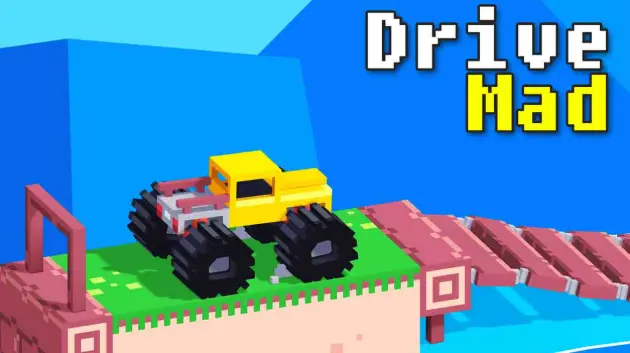
Editor's Note:It feels like somebody turned a toy car into a physics exam and then made every bad landing personally embarrassing.
Drive Mad Walkthrough Hub
Stuck on a level? Browse step-by-step Drive Mad guides for tricky jumps, timing puzzles, landmines, lasers, and other hard obstacles.
Browse All Drive Mad Levels
Open the full Drive Mad walkthrough hub to find step-by-step guides for difficult levels, obstacle tips, and solutions for tricky mechanics across the game.
Level 193 Guide
Learn how to stop before the cliff, let the cop truck jump over, then drop in front at the right time.
Level 194 Guide
Break the wheels in the right order, keep the truck nose up, and use momentum to slide to the finish.
Level 195 Guide
Use speed and brake torque to lift the wall, then drive through before the gate closes again.
Level 196 Guide
Sync with the buttons and level mechanics, then wait until the bridge pieces line up before crossing.
Level 199 Guide
Stay between the moving lasers, follow their rhythm, then switch control by breaking the lower car.
Core Mechanics in Drive Mad
Different stages test very different physics problems, which is a big part of why Drive Mad stays fresh across hundreds of levels.
Magnet levels
Get too close and the vehicle can be pulled off line, so quick correction matters.
Low or zero gravity levels
Braking affects weight transfer more than raw speed, so timing matters more than panic.
Moving machinery levels
Rotating wheels, conveyors, and swinging obstacles can change the route while you move.
Hazard timing levels
Lasers, shockwaves, and falling objects force you to read rhythm instead of just holding the throttle.
Goal-based puzzle levels
Some stages require pushing or repositioning objects before the route becomes passable.
How to play
Controls
- Desktop: Use A/D or left/right arrow keys to drive, reverse, and control your momentum depending on the version.
- Some builds may use W/S or up/down for throttle and braking, so it is worth checking the on-screen prompts before a run.
- Mobile and tablet: Use the on-screen buttons to accelerate or reverse with short, controlled presses.
- The main skill is not mashing for speed. Smooth inputs help you keep balance, protect your landing angle, and avoid sudden flips.
Core rules
- Reach the finish line without flipping, crashing, getting stuck, or breaking the vehicle.
- Drive Mad rewards control more than panic. Many stages are easier when you manage weight transfer and balance instead of trying to brute-force them with speed.
- Different level types test different skills, including magnet traps, low- or zero-gravity handling, moving machinery, timed hazards, and puzzle-style obstacles.
- A run can fall apart from one bad landing, one mistimed throttle tap, or one hesitation in the wrong place, so consistency matters more than reckless aggression.
Goal
Finish each level safely by controlling speed, balance, momentum, and landing angle across every obstacle.
Tips & tricks
Why it’s fun
- It turns every level into a tiny physics problem, so success feels earned instead of automatic.
- The short stages and instant restarts make failure easy to laugh off and retry, which is exactly why one more attempt somehow becomes twenty.
- The variety stays strong across 250 levels because the game keeps changing what it asks from you instead of repeating the same jump with different decorations.
- Optional challenge layers like faster clears and tighter execution goals give skilled players something to chase even after they can already finish a stage.