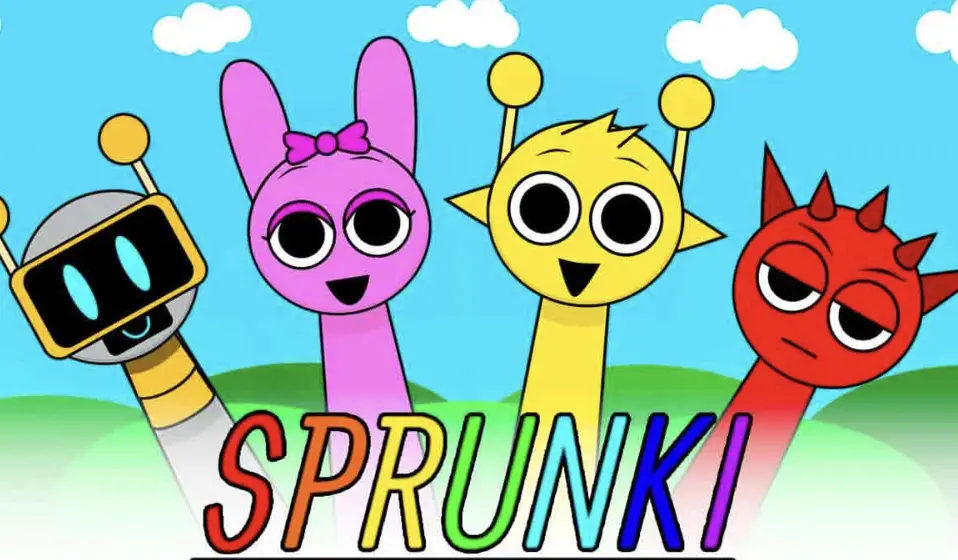
Sprunki takes the standard music mixer formula and throws it into a blender with weird, interactive characters. Instead of dealing with complicated timelines or heavy audio software, you're literally dragging accessories and clothing items onto weird little guys to make them produce different stems—beats, melodies, vocals, and FX.
What hooks you is the immediate feedback loop. You drop a hat on a character, and they instantly lock into the global BPM, dropping a heavy bassline. Layering these sounds feels less like producing music and more like conducting a very strange, very talented choir. It gets wildly chaotic if you just stack everything, but finding that perfect groove where three specific characters bounce off each other is genuinely rewarding.
actionInstant play
💡
Editor's Note:I sat down to test this for five minutes to check the audio latency. An hour later, I was nodding my head to a chaotic mix of beatboxing blobs and a synth that sounds like a kazoo on overdrive. Send help.
Playing: Sprunki
How to play
Controls
Click and drag icons from the bottom inventory bar onto any blank character on the screen to assign a sound.
Click a character that is currently playing to mute them, or double-click to solo their audio track.
Core rules
Every item represents a specific audio loop perfectly synced to the same tempo.
You can only equip one item per character, and the maximum number of tracks is limited by the empty characters on screen.
Goal
Build the most cohesive, head-nodding beat possible by layering and balancing the different character sounds.
Tips & tricks
The Kick-Snare Anchor
Don't overload your board immediately. Start by isolating one beatbox character and one heavy bassline. Let them loop twice to establish the pocket before you start throwing in vocal chops or high-pitched synths.
Solo to Troubleshoot Muddy Mixes
If your mix sounds like a washing machine full of gravel, double-click your core beat character to solo them. Bring the other characters back in one by one by unmuting them to find out which sound frequency is clashing.
The Horror Mode Transition
The dark mode is triggered by specific black hat items. If you are going to transition into the horror soundscape, mute all your bright, melodic vocals first, drop the black hat, and then rebuild the beat using only the newly corrupted sound stems so the themes don't clash.
Rhythmic Staggering
Instead of dragging all items onto the characters before the first beat drops, add a new character at the start of every 4th bar. It creates a natural build-up and drop for your song rather than a flat wall of noise.
Why it’s fun
The drag-and-drop mechanics turn complex audio mixing into a highly visual, zero-friction playground.
Discovering hidden character animations and secret sound modes rewards you for experimenting with weird combinations.
FAQ
Is Sprunki free to play?
Yes, the game is entirely web-based and free to play right in your browser without any downloads or sign-ups required.
Can I save the music I make in Sprunki?
Currently, there isn't a built-in export button to save your tracks as MP3s. If you want to keep your mix, your best bet is to use screen recording software to capture the audio and video while it plays.
Why did my Sprunki characters turn scary?
You likely dragged the specific 'black hat' or corrupted item onto a character. This acts as a switch, changing the entire theme, visuals, and sound library from upbeat to a creepy, horror-style motif.
Does Sprunki work on mobile?
It is playable on mobile browsers, but the drag-and-drop interface is heavily optimized for a mouse. For the best accuracy and audio sync, playing on a desktop or laptop is highly recommended.